Follow these steps to add distributor merchants to your Business Partner account.
In the Account Options section of the Yo Cobro module, select Distributors.
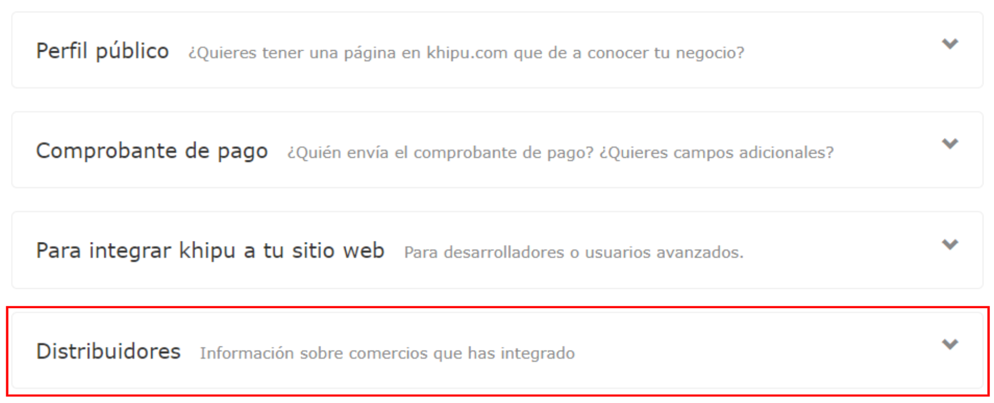
The collection accounts of your integrated distributor merchants will appear. Select the corresponding account.

For each distributor merchant, you need to request their Collector ID and Secret Key to create the link.
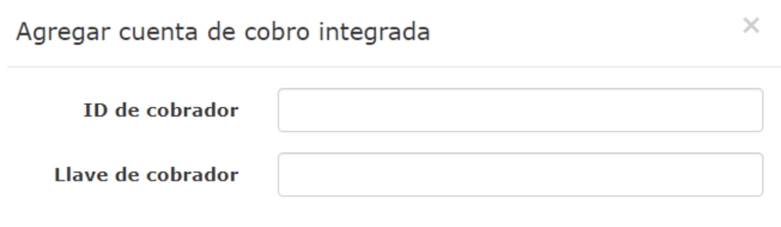
Enter the following information:
- Collector ID (ID de cobrador): The unique identifier for the distributor merchant's collection account
- Secret Key (Llave de cobrador): The secret key associated with the collection account
Attention
Both the Collector ID and Secret Key must be provided by the distributor merchant. See below for instructions on where the distributor merchant can find this information.
The distributor merchant must follow these steps to locate their Collector ID and Secret Key:
From the Yo Cobro section, select Account Options.
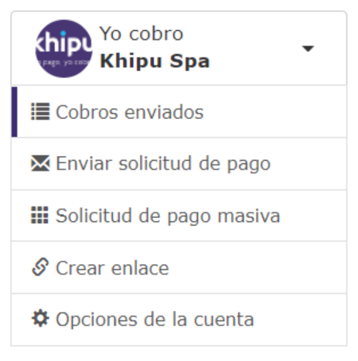
Several modules will appear on the right side. Scroll down and select "Para integrar khipu a tu sitio web" (To integrate Khipu into your website).
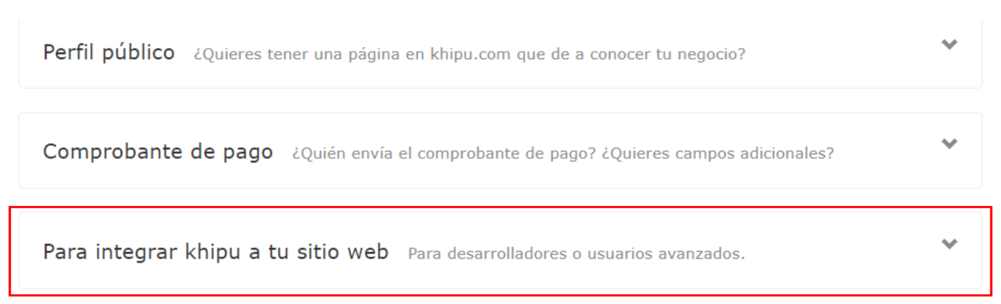
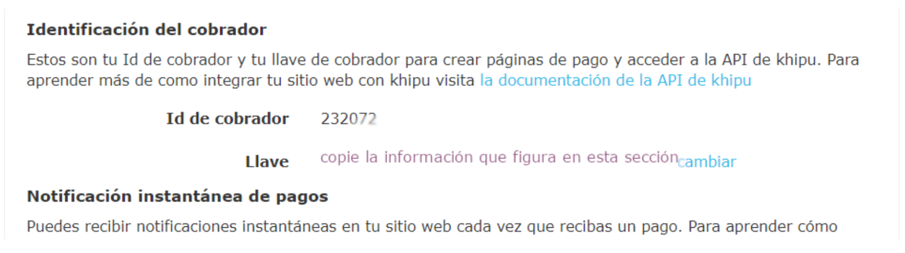
The relevant information is displayed in the Collector Identification section:
- Collector ID (Id de cobrador): The numeric identifier for the collection account
- Secret Key (Llave): The secret key used to access the Khipu API
Important
The Secret Key should be kept secure and only shared with authorized business partners. The Collector ID and Secret Key are used to create payment pages and access the Khipu API.
Once a distributor merchant is successfully linked:
- Their transactions will appear in your Business Partner dashboard
- You can track their payment activity, transaction volumes, and gross margins
- Reports will include data from all integrated merchants